
← Crossplay games · Unofficial Fall Guys fan guide · free and unsponsored

PS5 ↔ SWITCH 2 · BEGINNER GUIDE
Fall Guys: play together
Find your friend, join the same party, then learn one move at a time.
Sources checked
Controller & game controls
Tap a button or its name for the published action reference. On handheld, choose an area then a button.
Published references, not verified 2026 defaults. Each action names its source date and original platform.
PS5 · DualSense

Cross · Jump reference
Jump (gameplay)
March 2022 · Official PlayStation layout v6.2.0, before native PS5; not verified current/native PS5 defaults. Official Fall Guys controller capture
Published references—not verified 2026 defaults. Game/system remaps may differ. Original Switch captures are not direct Switch 2 testing.
Rear or obscured controls use text descriptions, not invented photo markers.
Official hardware diagramReference dates & verification details
Published references—not verified 2026 defaults. Game/system remaps may differ. Original Switch captures are not direct Switch 2 testing.
- PlayStation layout v6.2.0 · March 2022: Cross jump, Square dive, R2 grab. Published before native PS5; not a current PS5 default check. Official Fall Guys controller capture
- Original Switch v7.0.0 · 26 June 2022: B jump, Y dive, ZR grab. Shown profile, not proven reset/default. NICHI: original Switch screenshots
- PS5 menus · 25 June 2022: author-labelled PS5, no OS edition badge. シコフ: PS5 play diary
- PS5 text · 26 July 2024: hold L1 for emote wheel; Square for Change Game; R1 for Discovery. Images not inspected. Ali Hashmi / Prima Games: emote-wheel walkthrough
GL / GR, current phrase/help/power-up and Switch wheel bindings stay unverified. Older PlayStation references are not verified native-PS5 defaults.
Source-checked, not hands-on console testing. Use the edition notes and your own screen prompts; game and system remaps may differ.
01 / Get ready
Install the right game on each console
On PS5
Install the native PS5 version of Fall Guys. [2]
On Switch 2
Install the original Nintendo Switch application. Nintendo marks it supported on Switch 2. [3]
This is not a verified native Switch 2 edition. Nintendo says previously identified compatibility issues have been fixed. [3]
Before you send an invite
02 / Find each other
Five steps to the same party
Both launch Fall Guys and finish their own account setup. [3][1]
From the lobby open Friend List → Add Friends; search the other player's Epic Games display name. [5]
Select the matching result and choose Add Epic Friend. The other player accepts the request. [5]
Choose Open Party and invite the friend. They accept the invitation and join. [6]
Choose a Show that supports the party, then select Play. [6]
Use the prompts on your own screen to accept requests and invitations; exact current acceptance-screen labels are not verified.
A party can include you and up to three friends. Individual-elimination shows do not keep an eliminated friend alive merely because you are in one party; Squads progress is team-based. [6][7]
03 / Learn by doing
Find your controls, then practise
Check your active buttons
Main menu → Settings (gear, top-right) → Controller. Read or change your own layout.
Jumping twice makes you dive?
Settings → Options → Gameplay → Double Jump to Dive. Set it On or Off. This optional second jump input triggers a dive, not another upward jump.
Menu sources checked 25 October 2026. Console-level remapping can also change your physical inputs.
Three moves to practise first

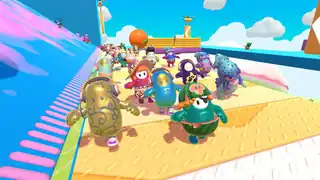
These gameplay images are not a button map or screenshots of your current console interface. Read your own game’s prompts for each action; current PS5 and Switch mappings remain unverified. [9][2]
Jump
Practise timing a jump and landing before trying to go faster.
Dive
Find your dive prompt, then try the action and watch how your landing changes.
Grab
Find your grab prompt and practise when the game gives you something to grab.
Editorial practice suggestions, not a level walkthrough. Also get comfortable moving and turning the camera before chasing a win.
Your first 20 minutes
Editorial practice plan, after downloads and account setup — not a guaranteed timetable.
- 0–5 minutes
Form the party and test voice. Confirm both player names appear before choosing a show.
- 5–10 minutes
Read the on-screen controls, then practise moving, jumping, diving and grabbing without worrying about winning.
- 10–20 minutes
Try a party-compatible show. Call out the route you are taking and watch each other if one is eliminated. For a team-based session choose an available Squads option rather than assuming every show shares progress.
Make sure you can hear each other

Party voice defaults off. Both open Settings → Audio → Voice Chat and select their preferences. Original Switch Fall Guys on Switch 2 built-in-microphone behavior remains unverified; test it before relying on it. [8]
The Switch 2 C button / GameChat is not the PS5 cross-platform voice route. Use Fall Guys party voice for this pairing; the compatible Switch app’s built-in-microphone behaviour still needs testing. Nintendo: GameChat requirements (opens new tab)
Child accounts and chat permissions
Current Epic guidance says chat is disabled under age 10. For other restricted child accounts, a parent/guardian must finish setup and choose an allowed setting. Friends Only is unsupported in Fall Guys; the documented usable options are Friends and Teammates or Everybody. Prefer the narrower Friends and Teammates option where appropriate. [8]
If setup gets stuck
Cannot find the friend
Search the exact Epic Games display name through Add Friends, not just the console username. [5]
No party voice
Enable Voice Chat under Settings → Audio; it starts off. [8]
Voice stays unavailable on a child account
Check the age/setup restriction with the parent/guardian; under-10 chat is disabled and Friends Only is unsupported. [8]
Check your setup
Current defaults and Switch 2 microphone behaviour are not verified. Your own prompts take priority.
Verification details (4)
- Full current PS5 and compatible Switch-application mappings.
- Switch 2 built-in-microphone behavior.
- Exact current friend-request and party-invitation acceptance-screen labels.
- Custom-game minimum-player rules vary; no universal count asserted.
Official sources
Reviewed . Source review is not console testing. Links open only when you select them.
- Access your Epic Games friends list on a new console account (opens new tab)
- Fall Guys — PlayStation (opens new tab)
- Fall Guys — Nintendo Australia (opens new tab)
- Paid console subscriptions and Fall Guys (opens new tab)
- How to add a friend in Fall Guys (opens new tab)
- How do I play Fall Guys with friends? (opens new tab)
- How do I play with others in Fall Guys Creative? (opens new tab)
- How do I use voice chat in Fall Guys? (opens new tab)
- Top 3 tips to get ahead in Fall Guys (opens new tab)
This free, unsponsored fan guide does not use game imagery to promote paid services. Portions of the materials used are trademarks and/or copyrighted works of Epic Games, Inc. All rights reserved by Epic. This material is not official and is not endorsed by Epic. Fall Guys asset guidelines · Epic fan-content policy.
Official gameplay images do not verify current levels, cosmetics, console menus or buttons. Remaining SubeR navigation icons are not gameplay screenshots. Existing official cover artwork is used for editorial identification, not as a console-edition label. Copyright stays with its owner; no reuse licence or endorsement is claimed.