
SubeR GAMING · PS5
VALORANT
Learn your controls. Make your first rounds count.
Controller buttons
Hardware locations, not verified VALORANT actions. Check your game’s active controls and edition below.
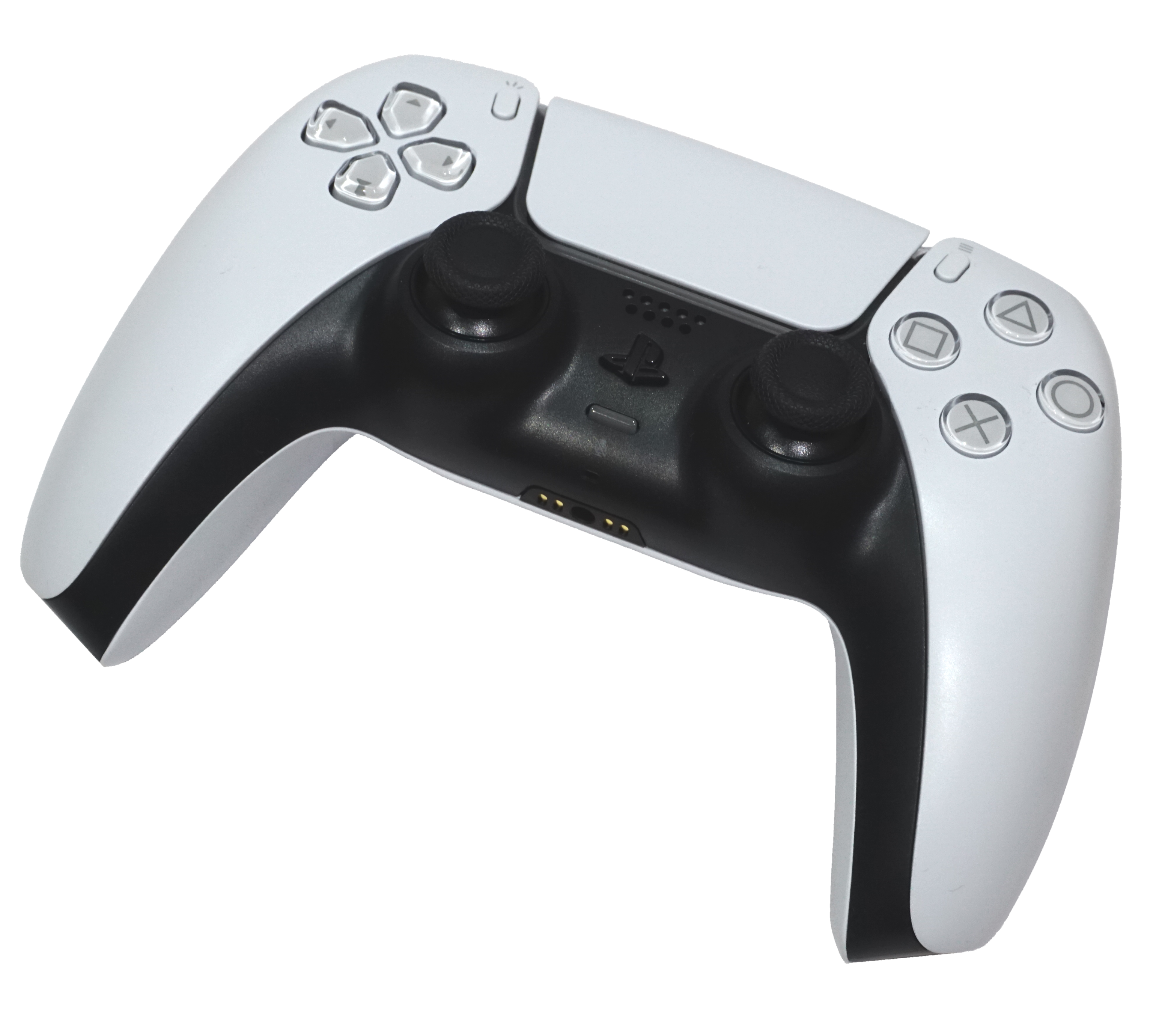
Free to play on PS5, not PS4. Online play required; optional purchases. PlayStation Plus is not required for normal online play. PlayStation cloud streaming is a separate subscription feature. Official PlayStation game page (opens new tab)
Your PS5 control overview
Riot offers selectable presets and custom controls. The real DualSense image above identifies hardware, not verified VALORANT button assignments. Read your current in-game Settings before practising: a PC keybind chart is not a PS5 layout.
- Movement & aim
- Locate move, look, walk, jump and crouch. Check whether held actions or toggles match what you expect.
- Weapon handling
- Find fire, reload, equip/switch weapon, Focus and ADS or sniper scope. Test aiming modes separately.
- Agent abilities
- Read all of your selected Agent’s ability inputs and Ultimate. Learn the effect before using it near teammates.
- Round objective
- Find the buy menu, interact, equip Spike, plant and defuse prompts. Check the on-screen instruction in the appropriate context.
- Team communication
- Find ping and communication controls. You can share locations without using voice chat.
Riot: presets and customization (opens new tab) · Historical introduction, 25 June 2024. A complete current PS5 button-to-action table has not been verified here; your active in-game layout is authoritative.
Focus is not the same as ADS
Focus is a console aiming mode that retains hip-fire-style shooting while reducing aim sensitivity. ADS means aiming down the weapon’s sights. Check each assignment and preference in your own layout rather than assuming every preset uses the same trigger combination.
In practice, compare normal aiming, Focus, then ADS with one weapon. Adjust one sensitivity setting at a time; this guide does not prescribe a universal “best” number.
Xbox Wire: Riot’s console aiming design (opens new tab) · 26 July 2024. Riot distinguishes Focus and ADS states (opens new tab).
A short first-session routine
SubeR’s optional practice sequence, not a guarantee of competitive results.
- Get comfortable. Finish the tutorial and use the practice area to check the actions above before a match.
- Stop, aim, fire. Practise stopping before a deliberate shot. Repeat from the same position, then add movement between shots.
- Learn one Agent. Read each ability and try what it does. Avoid changing your whole setup after every missed shot.
- Play the objective. In Spike rounds, attackers work toward planting and detonation; defenders prevent the plant or defuse. Coordinate your spending and plan with the team.
- Communicate one useful thing. Ping a location or give a short callout. Review one decision after the round, rather than blaming teammates.
Read or watch Riot’s beginner guide (opens new tab) · 2 August 2024. Its historical Agent/map counts are not repeated as current totals here; examples and mode rules can change.
Playing with friends
PS5 can play with Xbox Series X|S, but not PC players. Account content and progression can be shared across PC and console; competitive rank and matchmaking rating are separate. Console play is controller-based: Riot does not support keyboard/mouse or spoofing those inputs.
Riot console guide (opens new tab) · Updated 2 June 2026. Official console hub and trailers (opens new tab).
Source check
Checked . Official pages establish platform support and concepts; this is not a hands-on PS5 test or an exhaustive current patch guide. Links open externally, with no embedded video or automatic playback.
DualSense photograph: Alex Cochrane, CC BY-SA 4.0, credited above. No VALORANT artwork is hosted in this guide. Independent Suber companion, not affiliated with Riot Games or PlayStation.