
NHL 27 · Community video
NHL 27 How to Win Faceoffs! ULTIMATE GUIDE - Timing, Grips, and Counters!
Revived Legacy ·
Watch the creator explain timing, grips and counters. Pause between examples, then compare with your in-game Controls.
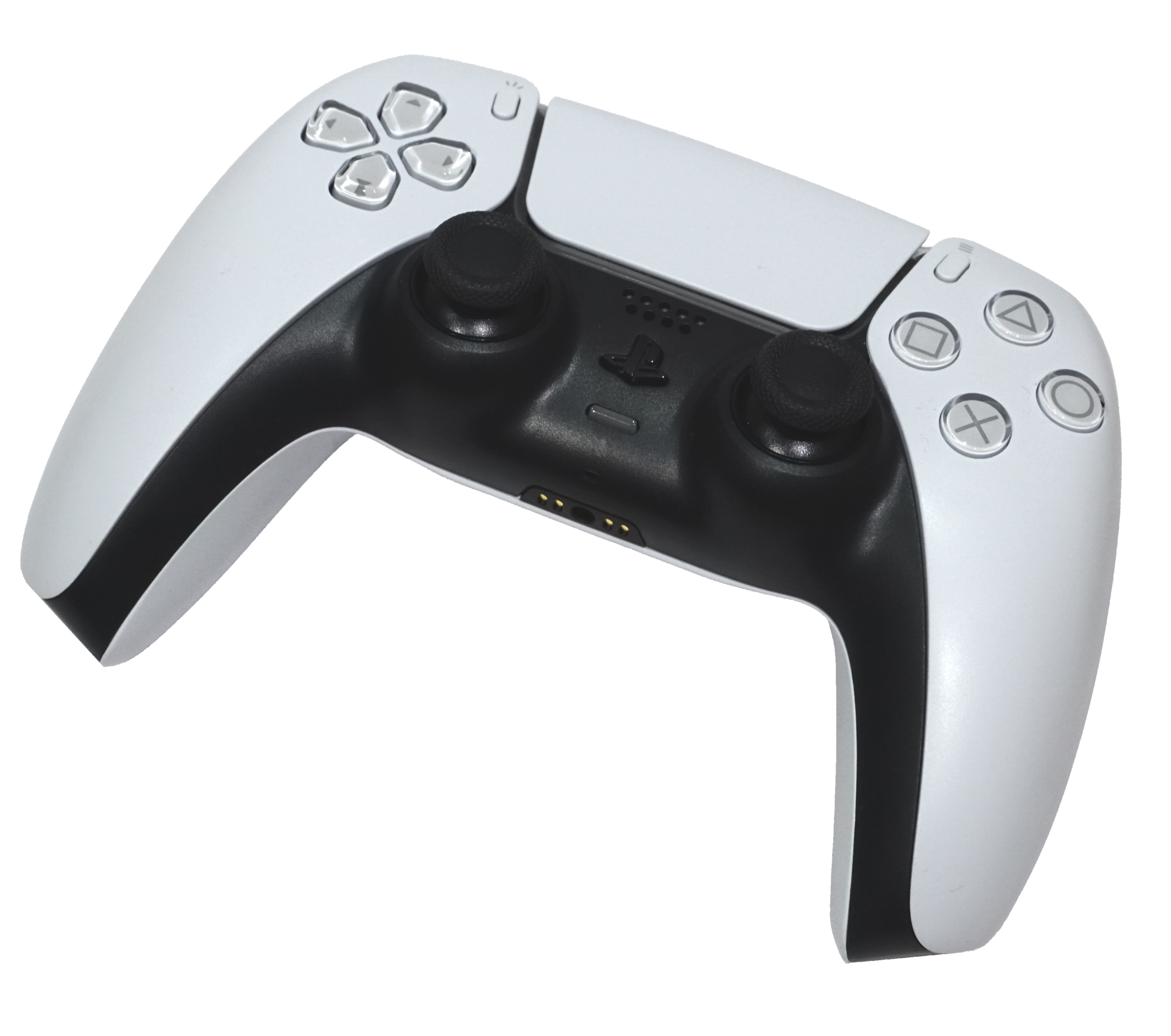
Tap or click a button to find its physical location.
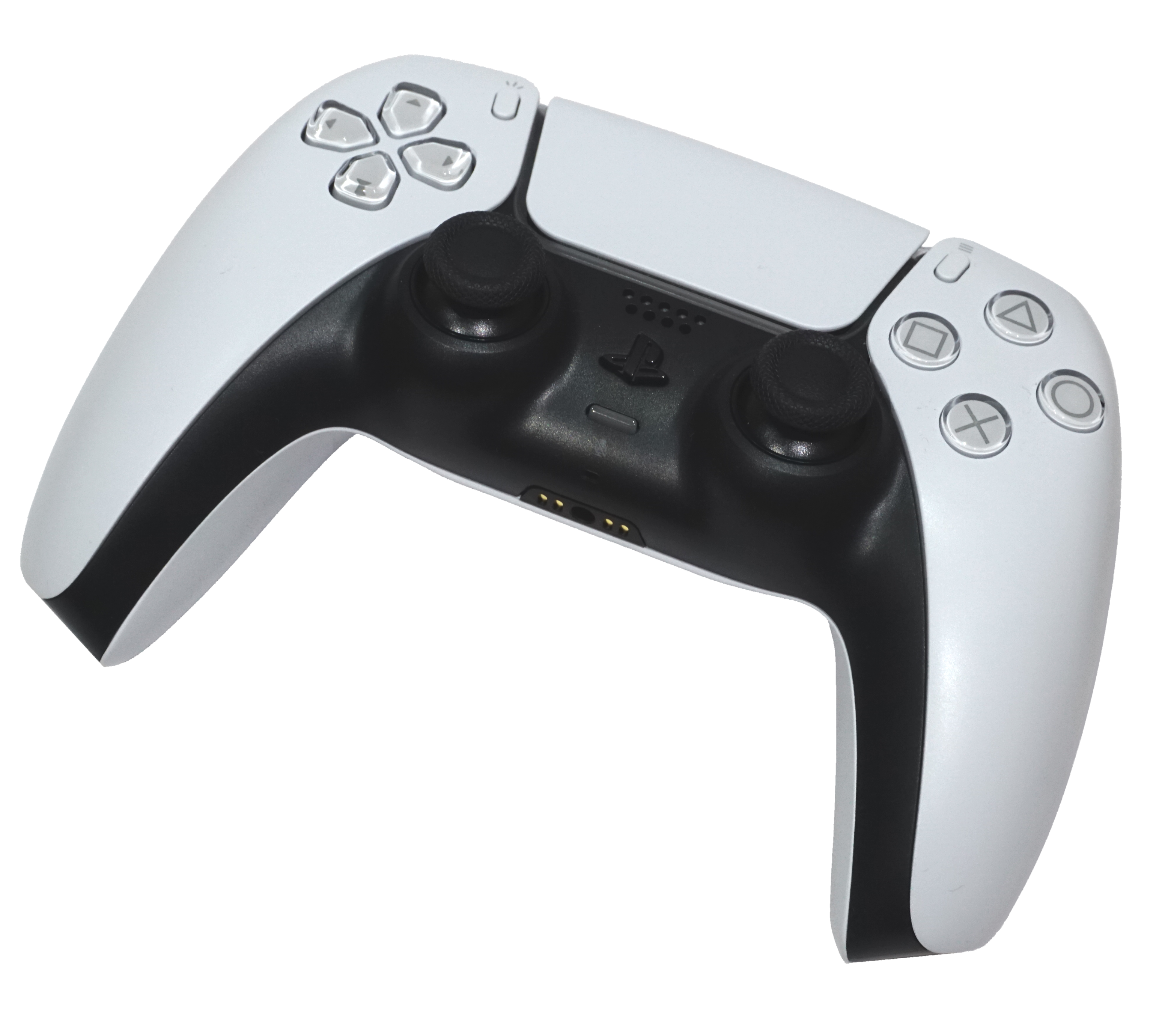
Photo picker: hardware only. Reference actions shown separately.
EA’s NHL 27 pages link diagrams labelled NHL 26. Game bindings are not confirmed for NHL 27. Check your in-game Controls. No faceoff sequences, timing or unlisted controls inferred.
Full PS5 hardware referenceBehind the controller · not visible
Front controls
Behind the controller, not visible here: L1 / R1 are shoulder buttons; L2 / R2 are triggers. Sony’s hardware reference (opens new tab) shows their locations.
NHL game bindings below are provisional, not confirmed for NHL 27: EA’s NHL 27 pages link diagrams labelled NHL 26. Match your in-game Controls. Total Control is an initial view, not a preference or verified default. Faceoffs remain fundamentals only.
Hardware locator · NHL 27 actions: unknown
This locates hardware, not gameplay actions. EA’s diagrams carry NHL 26 labels; check NHL 27’s in-game Controls for your inputs. EA reference ↗ · Sony hardware names ↗
This transcription is evidence from an undated game-version example, not NHL 27 instructions. * Skill moves are grouped, not assigned individually. Unlisted actions remain unknown.
Button details: shape-clipped crops of the same photograph by Alex Cochrane · CC BY-SA 4.0. Rear buttons are not visible. L3/R3 press the same sticks shown for movement.
Only legible actions from the supplied Total Control example are shown, not a complete NHL 27 binding list. Its game version is not visible. Reference checked 23 October 2026. EA’s NHL 27 web diagrams retain NHL 26 labels, so these are not certified NHL 27 bindings. Other presets may differ. Stick direction, timing and unshown combinations are not inferred.
Sony hardware names ↗Goalie mappings are unverified. Do not use the skater actions above as goalie bindings. Check NHL 27 → Settings → Controller Settings → Controls and your goalie preset.
EA’s in-game controls instructions ↗NHL 27 · PS5 · Fundamentals, not a button sequence
Use the actual controller above: tap a stick or button to identify it. LS / RS mean tilt the left / right stick; L3 / R3 mean press that stick. These hardware labels are not verified faceoff commands.
Look at their stick.Its position can hint at the other center’s next move.
An observation cue, not a grip demonstration.
Use the puck drop.Time your attempt with the drop. Early or late reactions can cost the draw.
An event cue, not a frame-accurate input trigger.
Change your approach.Mix your choices rather than repeat the same approach.
Approach names only, not a counter chart.
Original schematic, not gameplay footage. No controller inputs, exact timing window, or move counters are shown. Not tested in-game.
Source: EA NHL 27 beginner guide ↗ · Checked .
Find your exact inputs: Settings → Controller Settings → Controls in your game. Match your selected preset before practising.
Exact NHL 27 grip directions, stick sweeps and counter combinations are not verified. EA’s control-hub diagrams carry NHL 26 labels; they are not proof of NHL 27 inputs.
NHL 27 · Community video
Revived Legacy ·
Watch the creator explain timing, grips and counters. Pause between examples, then compare with your in-game Controls.
Older game: NHL 25 · Comparison only
Sleeveless Gaming ·
A longer look at stances, counters and faceoff plays. This video is from NHL 25; its controls and counters are not verified for NHL 27.
Links open the original videos on YouTube, which has its own privacy terms. No embedded player or autoplay. Platform and control preset are not verified. Playback was not checked. Community videos are not verified NHL 27 PS5 button maps.
SubeR practice idea: try ten offline draws with the same setup. Note early/late reactions, then change one thing. This is a learning exercise, not a guaranteed win method.
These are preset descriptions, not faceoff bindings. Your console’s remapping may also change the physical input.
These are general learning tips. Goalie button mappings and a complete NHL 27 move list are not verified here.
Checked 22 October 2026, 15:46 UTC. Selected official records, not complete history or a live feed.
· Patch · October 20, 1 p.m. ET announced
Goalie behavior, line changes, HUT lineup improvements and stability fixes. Publisher release timing; not an installed-version check.
Official source ↗· Patch · October 6, 1 p.m. ET announced
HUT card-art loading, Edit Lines crashes and arena-presentation fixes.
Official source ↗Select the preset shown in your game. No preference is saved.
SubeR’s short practice suggestions, not guaranteed tactics or competitive presets.
SubeR PRACTICE PLAN
Total Control · offense
NHL 27 inputs: unknown. Confirm your preset in the game before practising.
Try this: Work on repeatable placement, not a promised “always scores” spot.
Version-conflicted diagram transcription, not NHL 27 instructions. These source values are retained for comparison only.
A controller reference for Total Control. Detailed stick-motion sequences are not inferred from the source.
PROVISIONAL · VERSION-CONFLICTED. EA’s NHL 27 pages link diagrams labelled NHL 26. Reading those diagrams establishes transcription, not NHL 27 applicability. Check your in-game Controls before using these inputs.
Practice steps are Suber’s own suggested routine, informed by the official resources below. They are not a publisher-certified technique or promise of results.
Sources checked 2026-10-19. No current patch number was provided by the linked guidance.
Skill Stick · offense
NHL 27 inputs: unknown. Confirm your preset in the game before practising.
Try this: Work on repeatable placement, not a promised “always scores” spot.
Version-conflicted diagram transcription, not NHL 27 instructions. These source values are retained for comparison only.
A controller reference for Skill Stick. Detailed stick-motion sequences are not inferred from the source.
PROVISIONAL · VERSION-CONFLICTED. EA’s NHL 27 pages link diagrams labelled NHL 26. Reading those diagrams establishes transcription, not NHL 27 applicability. Check your in-game Controls before using these inputs.
Practice steps are Suber’s own suggested routine, informed by the official resources below. They are not a publisher-certified technique or promise of results.
Sources checked 2026-10-19. No current patch number was provided by the linked guidance.
Hybrid · offense
NHL 27 inputs: unknown. Confirm your preset in the game before practising.
Try this: Work on repeatable placement, not a promised “always scores” spot.
Version-conflicted diagram transcription, not NHL 27 instructions. These source values are retained for comparison only.
A button-based shooting reference specifically for Hybrid.
PROVISIONAL · VERSION-CONFLICTED. EA’s NHL 27 pages link diagrams labelled NHL 26. Reading those diagrams establishes transcription, not NHL 27 applicability. Check your in-game Controls before using these inputs.
Practice steps are Suber’s own suggested routine, informed by the official resources below. They are not a publisher-certified technique or promise of results.
Sources checked 2026-10-19. No current patch number was provided by the linked guidance.
SubeR PRACTICE PLAN
Total Control · offense
NHL 27 inputs: unknown. Confirm your preset in the game before practising.
Try this: Count completed passes, not just button presses. The arrows show puck travel, not stick directions.
Version-conflicted diagram transcription, not NHL 27 instructions. These source values are retained for comparison only.
Know your Total Control passing controls, then look up.
PROVISIONAL · VERSION-CONFLICTED. EA’s NHL 27 pages link diagrams labelled NHL 26. Reading those diagrams establishes transcription, not NHL 27 applicability. Check your in-game Controls before using these inputs.
Practice steps are Suber’s own suggested routine, informed by the official resources below. They are not a publisher-certified technique or promise of results.
Sources checked 2026-10-19. No current patch number was provided by the linked guidance.
Skill Stick · offense
NHL 27 inputs: unknown. Confirm your preset in the game before practising.
Try this: Count completed passes, not just button presses. The arrows show puck travel, not stick directions.
Version-conflicted diagram transcription, not NHL 27 instructions. These source values are retained for comparison only.
Know your Skill Stick passing controls, then look up.
PROVISIONAL · VERSION-CONFLICTED. EA’s NHL 27 pages link diagrams labelled NHL 26. Reading those diagrams establishes transcription, not NHL 27 applicability. Check your in-game Controls before using these inputs.
Practice steps are Suber’s own suggested routine, informed by the official resources below. They are not a publisher-certified technique or promise of results.
Sources checked 2026-10-19. No current patch number was provided by the linked guidance.
Hybrid · offense
NHL 27 inputs: unknown. Confirm your preset in the game before practising.
Try this: Count completed passes, not just button presses. The arrows show puck travel, not stick directions.
Version-conflicted diagram transcription, not NHL 27 instructions. These source values are retained for comparison only.
Know your Hybrid passing controls, then look up.
PROVISIONAL · VERSION-CONFLICTED. EA’s NHL 27 pages link diagrams labelled NHL 26. Reading those diagrams establishes transcription, not NHL 27 applicability. Check your in-game Controls before using these inputs.
Practice steps are Suber’s own suggested routine, informed by the official resources below. They are not a publisher-certified technique or promise of results.
Sources checked 2026-10-19. No current patch number was provided by the linked guidance.
SubeR PRACTICE PLAN
Total Control · defense
NHL 27 inputs: unknown. Confirm your preset in the game before practising.
Try this: Review three plays for positioning, not just hits. Poorly timed checks can lead to penalties.
Version-conflicted diagram transcription, not NHL 27 instructions. These source values are retained for comparison only.
Start with position. These are the Total Control defensive inputs.
PROVISIONAL · VERSION-CONFLICTED. EA’s NHL 27 pages link diagrams labelled NHL 26. Reading those diagrams establishes transcription, not NHL 27 applicability. Check your in-game Controls before using these inputs.
Practice steps are Suber’s own suggested routine, informed by the official resources below. They are not a publisher-certified technique or promise of results.
Sources checked 2026-10-19. No current patch number was provided by the linked guidance.
Skill Stick · defense
NHL 27 inputs: unknown. Confirm your preset in the game before practising.
Try this: Review three plays for positioning, not just hits. Poorly timed checks can lead to penalties.
Version-conflicted diagram transcription, not NHL 27 instructions. These source values are retained for comparison only.
Start with position. These are the Skill Stick defensive inputs.
PROVISIONAL · VERSION-CONFLICTED. EA’s NHL 27 pages link diagrams labelled NHL 26. Reading those diagrams establishes transcription, not NHL 27 applicability. Check your in-game Controls before using these inputs.
Practice steps are Suber’s own suggested routine, informed by the official resources below. They are not a publisher-certified technique or promise of results.
Sources checked 2026-10-19. No current patch number was provided by the linked guidance.
Hybrid · defense
NHL 27 inputs: unknown. Confirm your preset in the game before practising.
Try this: Review three plays for positioning, not just hits. Poorly timed checks can lead to penalties.
Version-conflicted diagram transcription, not NHL 27 instructions. These source values are retained for comparison only.
Start with position. These are the Hybrid defensive inputs.
PROVISIONAL · VERSION-CONFLICTED. EA’s NHL 27 pages link diagrams labelled NHL 26. Reading those diagrams establishes transcription, not NHL 27 applicability. Check your in-game Controls before using these inputs.
Practice steps are Suber’s own suggested routine, informed by the official resources below. They are not a publisher-certified technique or promise of results.
Sources checked 2026-10-19. No current patch number was provided by the linked guidance.
SubeR PRACTICE PLAN
Any preset · teamwork & progression, not a button map
Try this: Read the current season’s objectives before chasing a reward. Bigger or heavier is a trade-off, not an automatic upgrade.
Give your team a passing option, then build around the role you actually play.
Practice steps are Suber’s own suggested routine, informed by the official resources below. They are not a publisher-certified technique or promise of results.
Sources checked 2026-10-19. No current patch number was provided by the linked guidance.
These open official publisher pages. They are not a live news feed, and SubeR does not claim the page-check date is a game-update date.
This website is not endorsed by or affiliated with EA or its licensors. EA content policy.