
PS5 ↔ SWITCH 2 · START TOGETHER
It Takes Two setup guide
Start with the updated, crossplay-capable editions and check the pass and upgrade terms.
Sources checked
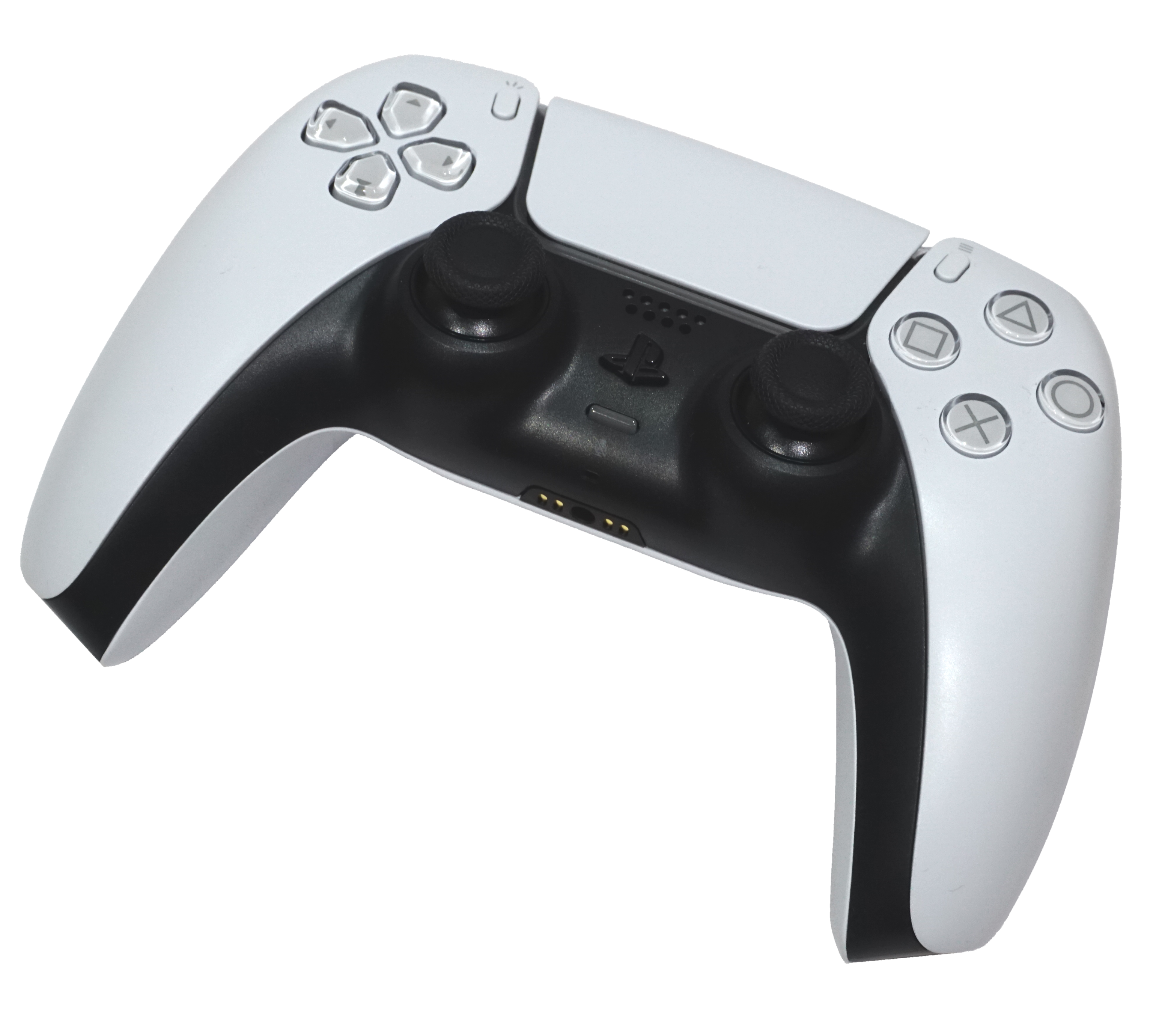
Controller buttons
Hardware locations plus published EA PS5 actions. Switch 2 actions remain unverified.
Edition and setup primer, not hands-on console testing. The exact PS5 ↔ Switch 2 friend-search and invite-acceptance screens are not verified.
Install the right editions
PS5: PS5 game or PS5 Friend’s Pass, updated to the latest available version [1][2][3]
Switch 2: Native Nintendo Switch 2 edition or its compatible Friend’s Pass [1][2][3]
The native Switch 2 edition supports online play with PS5. It launched October 15, 2026 in most regions. [1][2][3]
The original Switch application is not the PS5 cross-play route, even when run on Switch 2. Downgrading is for original-Switch partners, not this pairing. [1][2][3]
Accounts, copies & online costs
- One player owns the full game; the other installs the correct platform’s free Friend’s Pass. Two passes can try the first chapter. [2]
- Use each player’s own platform account. Online co-op requires PS Plus for the PS5 player and Nintendo Switch Online for the Switch 2 player, including pass users. [2][4]
- An EA account may be required for online features according to Nintendo’s current terms. Exact PS5/Switch 2 account-linking screens and a pairing-specific mandatory-account statement remain unverified; follow the game’s own sign-in prompts. [4]
- Eligible original-Switch owners can upgrade through eShop; physical owners use the in-game eShop icon. EA’s offer terms require the same Nintendo Account and exclude Japan, Korea, Hong Kong and Taiwan from that free-upgrade offer. Check local terms before assuming a zero-cost upgrade. [1][3]
Get into the same session
The exact cross-platform friend-search identifier, request-acceptance screen and PS5/Switch 2 menu labels are not documented in the official sources reviewed. Split Fiction’s EA Friends List flow is not a verified substitute.
Talk to each other
EA documents a voice-chat toggle in its PC accessibility material, but that does not verify PS5 ↔ native Switch 2 microphone audio. Use a separate call if needed; GameChat alone cannot bridge to PS5. [8][9]
Check your own controls
EA publishes the PS5 mappings below. Native Switch 2 action mappings remain unverified; follow its own on-screen prompts. [7]
These are game actions, not a cross-console letter-conversion chart. [7]
EA’s PS5 mappings only
- Move / camera
- Left stick / right stick
- Sprint / locate partner
- Press left stick / press right stick
- Jump / dash
- Cross (×) / Square (□)
- Interact / cancel
- Triangle (△) / Circle (○)
- Rope grapple / chapter abilities
- R1 / R2 or L2
Not a Switch 2 button map; your remapped profile may differ.
First 20 minutes — editorial practice plan
A flexible learning plan, not an official walkthrough or progression promise. Flexible learning plan after installation; setup or tutorials may take longer.
- 0–5 minutes: Join the same session and decide who will play Cody and May.
- 5–10 minutes: Practise moving, camera control and jumping at a comfortable pace.
- 10–20 minutes: Work through the opening co-op prompts together. Describe what each character sees and wait at shared obstacles.
If setup gets stuck
The Switch 2 player is using original Switch software
Use the native Switch 2 edition for PS5 cross-play; verify eligibility for the upgrade. [1][3]
Online co-op requests a membership
Both console players need their platform’s online entitlement, even when one uses Friend’s Pass. [2]
The pair cannot continue beyond the free chapter
One player needs the full game and invites the pass user from it. [2]
Still unverified
These gaps are not claims that a feature is impossible. Check your current game’s prompts rather than assuming a button or screen.
- Exact new PS5/Switch 2 add-friend and acceptance screens.
- Pairing-specific mandatory EA-account wording and linking sequence.
- Native Switch 2 default controls.
- PS5 ↔ Switch 2 in-game voice.
Official sources
Reviewed . Page-check dates are not game-update dates. These links open only when you select them; source review is not console testing.
- EA Help — It Takes Two on Nintendo Switch 2 (opens new tab)
- EA Help — It Takes Two requirements and Friend’s Pass (opens new tab)
- EA — It Takes Two Switch 2 launch and upgrade terms (opens new tab)
- Nintendo — native It Takes Two Switch 2 edition (opens new tab)
- Official It Takes Two Steam news — October 15 cross-play update (opens new tab)
Publisher news, not user forum comments; exact current build number is not provided.
- EA Community Manager — Switch 2 launch and Friend’s Pass (opens new tab)
- EA — It Takes Two PS5 controls (opens new tab)
- EA — It Takes Two PC accessibility settings (opens new tab)
PC voice settings are not proof of PS5/Switch 2 voice.
- Nintendo — Become a GameChat pro (opens new tab)
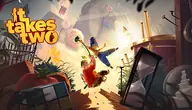
Existing official artwork is reused for editorial identification, not as a console-edition label. Copyright stays with its owner; no reuse licence or endorsement is claimed.